Rotate or Flip Images Online with ImageFlipper
Free & Easy Photo Editing
Upload Images
or click to browse
JPEG, PNG, WEBP • Max 5 images • 10MB limit per image
About ImageFlipper
ImageFlipper is a powerful, free online tool that allows you to quickly manipulate images right in your browser. With our tool, you can rotate a photo online, flip an image horizontally, or generate a mirror image of a photo - all without uploading your files to any server. With the advance options you can rotate, change brightness and contrast of your image. And can even choose the output of the image - JPG, PNG, or WebP.
Our tool can supports both single image and bulk images editing, you can adjust the orientation, mirror images vertically or horizontally adnd tweaking the brightness and contrast in few clicks.
ImageFlipper tool is perfect for photographers, content creators, or anyone needing a quick photo mirroring app, It delivers professional-grade results without the hassle of downloads or installations
Built with modern web technologies, ImageFlipper prioritizes your privacy and provides a seamless, responsive experience across all devices.
Benefits
Here are some benefits of using ImageFlipper for Rotating and Flipping Photos:
Fast and Free
Enjoy unlimited image flipping online at no cost—no subscriptions or hidden fees.
No Uploads Required
Your images stay on your device, processed instantly in-browser for maximum privacy and speed.
Bulk Image Editing
Need to rotate photos in bulk or generate mirror images for multiple files? ImageFlipper handles it effortlessly.
Versatile Features
Flip horizontally, rotate vertically, mirror photos, and adjust brightness/contrast—all in one place.
User-Friendly
Simple interface makes it easy for anyone to flip a photo online or tweak orientations without technical skills.
Cross-Device Compatibility
Use it on your phone, tablet, or desktop—perfect for generating a mirror image of a photo on phone.
How to Use
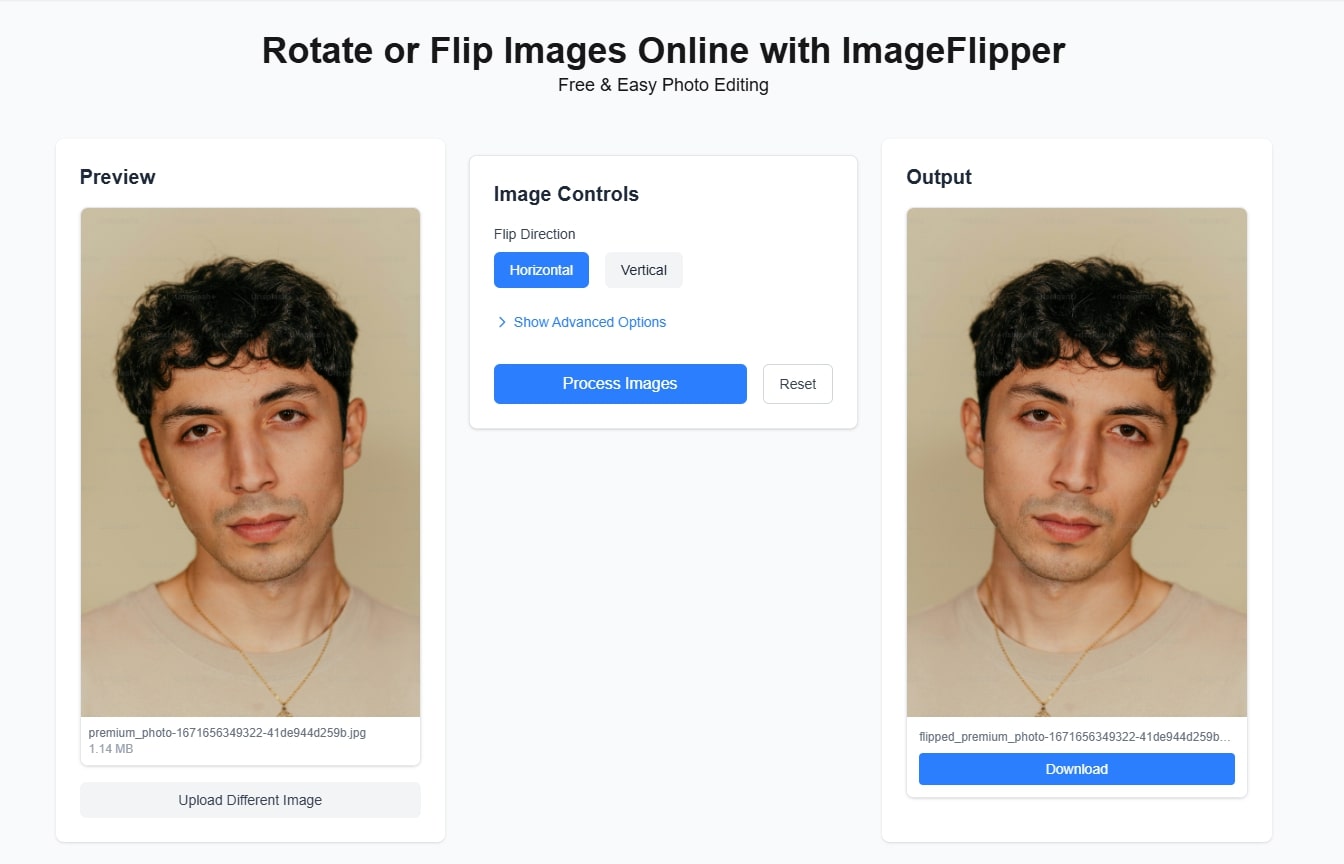
Here’s a step-by-step guide to rotate or flip an image online or generate a mirror image of a photo:
1. Upload Your Images
Drag and drop your single images or multiple files (max 5 at a time) into the upload area or click to select files.
2. Apply Transformations
Using the Image Control Setting, you can rotate photos online, flip images online, or generate mirror images. You can flip the image horizontally, rotate vertically, or adjust your image with precision—choose from 90°, 180°, or custom angles. Adjust the brightness, contrast and even choose the formats - JPG, PNG, or webp.
3. Process Image
Once the required setting is done, click on the "Process Image" button. It will convert the image and diplay it on the screen with the download button
4. Download Results
Download your processed images individually or all at once in a ZIP file.
Frequently Asked Questions
Is ImageFlipper really free to use?
Yes ImageFlipper is completely free to use. No hidden costs or pro upgrades needed.
How do I create a mirror image of my photo?
To create mirror image of your photo just upload it and check flip as horizontal and process the image. Once done download the image - easy.
What file formats are supported?
ImageFlipper supports JPEG, PNG, and WebP image formats. You have to select from Image Control's Show Advanced Options to change the formats.
Is there a file size limit?
Yes, the maximum file size is 10MB per image. This limit ensures optimal performance while processing your images. In bulk editing you can add only 5 photos at once.
Can I process multiple images at once?
Yes! You can process up to 5 images simultaneously. After flipping/creating the mirror image you can download it all as a zip file.
Are my images stored anywhere?
No, all processing happens locally in your browser. Your images are never uploaded to any server, ensuring complete privacy.
Does it preserve image quality?
Yes absolutely, ImageFlipper maintains your original photo quality during rotations, flips, and mirroring.